

 Latest reviews
 Latest blog posts





Box Designer Tools for Laser Cutting
Updated November 2025Estimated reading time: 7 min
We researched the growing universe of box generator apps, boxes generator scripts, and dedicated box designer workflows to help you pick the right setups for packaging, storage projects, and custom enclosures for all the things you wanna store.
1. Top 3 box designer tools
Below you find our top three tier list for box desingers. We rated each tool in terms of the availbale features/customizations and how easy they are to use.
2. When to use a box designer?
Custom boxes and enclosures from a laser cutter are ideal whenever “off-the-shelf” doesn’t quite fit. Instead of adapting your project to a generic plastic case, you design the enclosure exactly around your electronics, mechanics, or product: cut-outs for switches and displays sit where you actually need them, internal supports hold components securely, and ventilation or cable openings can be placed with millimetre precision. Once the design works, it is perfectly repeatable and you can produce one prototype or a small series with the same accuracy, without investing in expensive tooling.
It makes particular sense to use laser-cut enclosures when you are building prototypes, small batches of devices, workshop kits, or products where the visual impression matters just as much as function. Wood, acrylic, or MDF can be combined for a specific look, and engraving allows you to integrate logos, labels, or graphics directly into the box. Adjustments are quick: move a button, change the height, add a slot, recut. Whenever fit, aesthetics, and flexibility are more important than simply having “some box,” a custom laser-cut enclosure is usually the smarter choice.
3. Best box designer tools
Here we listed all the currently available and relevant tools to design custom enclosures for the things you love.
BoxDesigner
Downloads & file types
.svg.dxf.pdf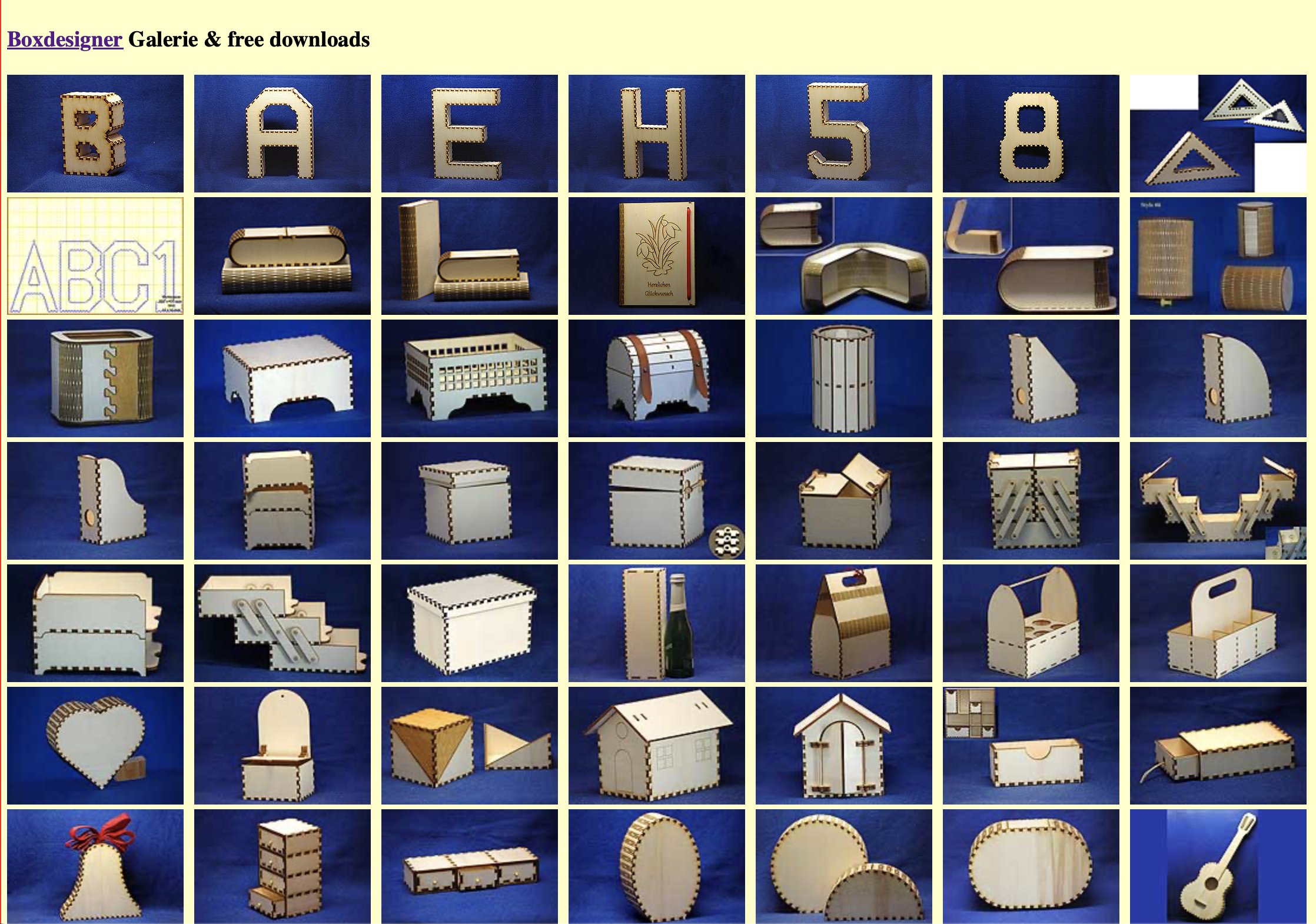
BoxDesigner is another powerful tool for creating laser-cut box templates — and it almost rivals Boxes.py in terms of flexibility. It was specifically developed for generating accurate laser-cutting templates and comes with a large collection of ready-made project types.
From small wooden boxes to treasure chests and even functional parts like gears or inserts, BoxDesigner offers nearly everything you might need for laser-cut projects. The interface is straightforward: you define dimensions, wall thickness, and optional lid or divider options, then the tool instantly generates a preview of the layout.
Once configured, you can export the finished design as SVG, DXF, or PDF, ready for cutting on your preferred machine.
It’s a practical and well-thought-out tool — not flashy, but clearly made by someone who knows what makers actually need when preparing files for a laser cutter.
Pros
- Large gallery of ready-made templates and decorative designs
- Useful for wood boxes with joints, gears, puzzles – more than simple boxes
- Good value tool used frequently by makers (forum anecdote)
Cons
- Subscription or paid component mentioned in forum – not fully free
- The user interface and navigation may be less modern or refined
- Less documented in English so some users may need to translate/figure things out
Downloads & file types
.ai.dxf.gcode.pdf.plt.ps.svg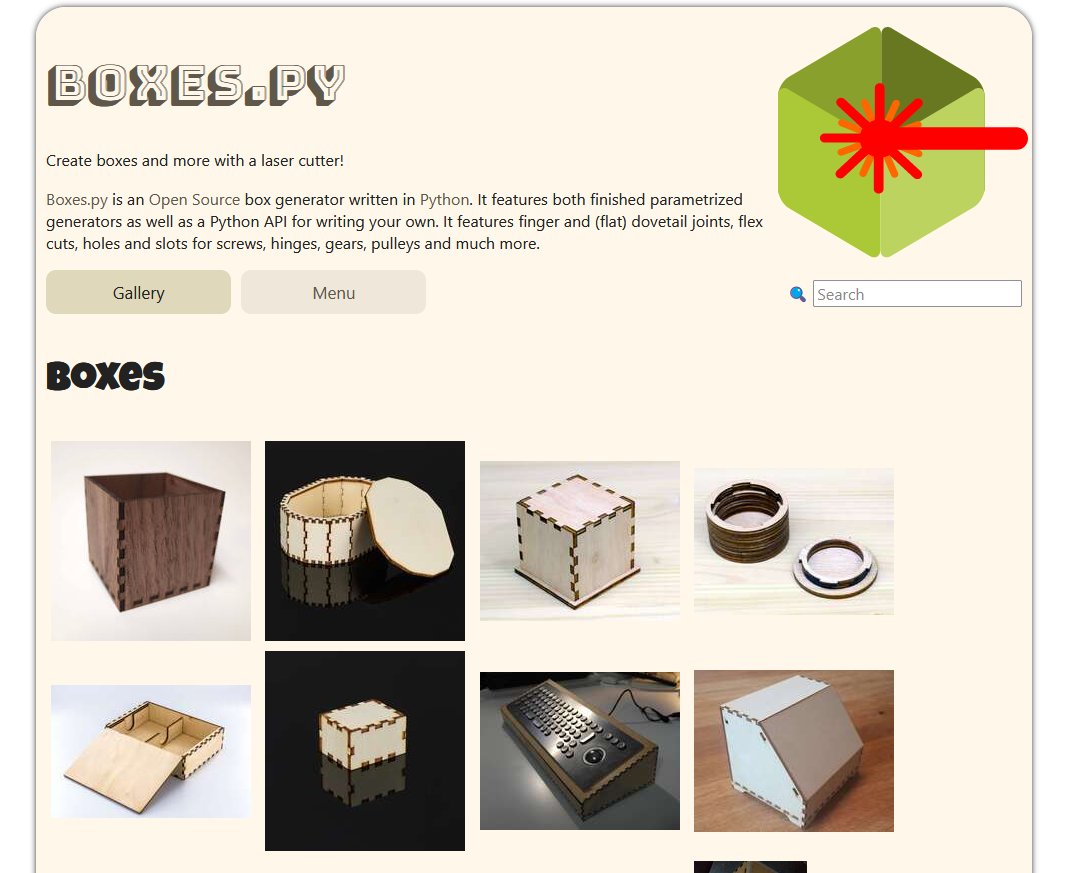
Boxes.py is a free, open-source Python-based generator and library for laser-cut boxes and many more related shapes. You’ll find not only simple rectangular boxes, but also types with rounded corners, living hinges, drawers, shelves, or even chests with twist-lids. 
You can use it via the online web-interface or install it locally (it’s licensed under GPL v3+).  Because it’s a full library, you also get access to the API (in Python) so you can build your own generator types if you’re comfortable with coding. 
In practical terms, the workflow is: pick a generator (say “RoundedBox” or “SlidingLidBox”), supply dimensions and material thickness, adjust fit-parameters (kerf/blow-cut compensation), choose your joint types or hinge types, then export the design. Supported export formats include SVG, DXF, GCODE, PDF, PLT, PS. 
From personal experience (and community feedback), here’s what stands out: The sheer variety of built-in box types is impressive — it goes well beyond “just a box”. Because it’s so feature-rich, the learning curve is steeper than simpler web tools. Some options and parameters can be opaque at first.  If you’re okay diving into parameters (or already comfortable with Python), you’ll appreciate the flexibility — you can fine-tune kerf, slot widths, hinge types, internal dividers, and more. For designers who just want “quick press-fit box in 5 minutes”, it might feel heavy; but for makers who want deeper control or custom shapes, it’s a strong choice.
Pros
- Very rich library of box types, trays, gears, etc.
- Open-source, so you can dig into the code or extend it
- Allows parameterising kerf, finger joints, living hinges, etc.
Cons
- Steep learning curve – many options can overwhelm new users
- UI is less polished; preview/3D visualisation is limited
- Some joint types or features missing in web interface even though library supports them
MakerCase
Downloads & file types
.svg.dxf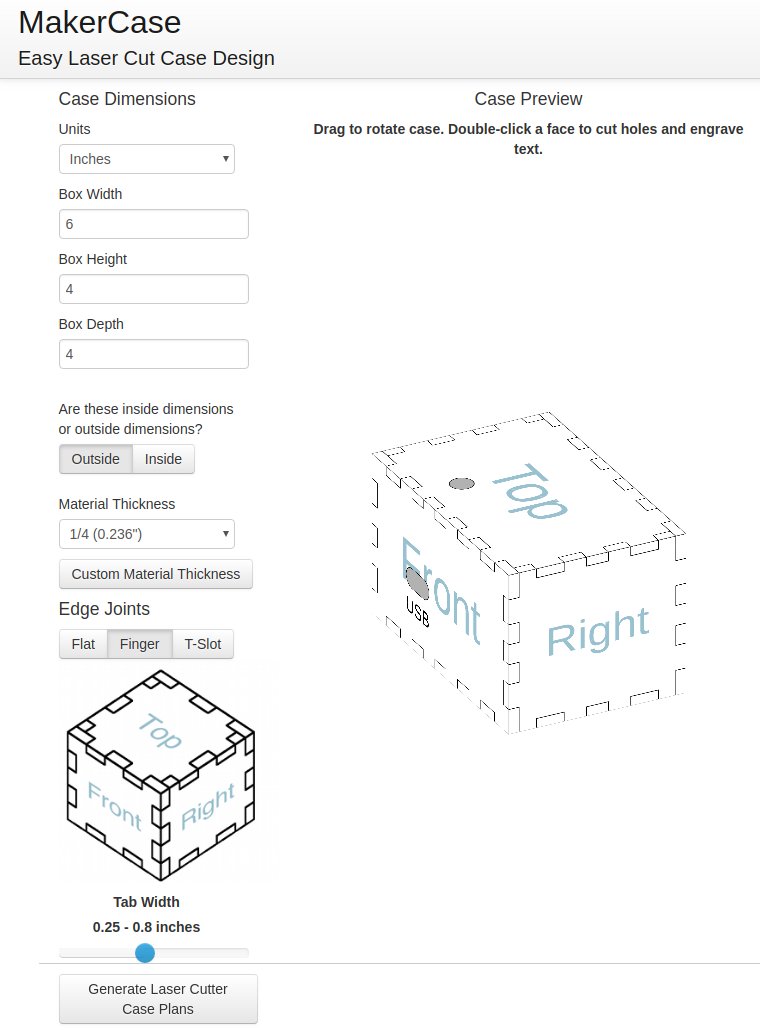
MakerCase is a free browser-based web tool for designing custom laser-cut (or CNC) wooden boxes. You enter the desired outer dimensions and material thickness, and MakerCase instantly generates a rotatable 3D model so you can preview how your box will look.
It supports different joint types (flat edges, finger joints, or other connections) and allows you to adjust for kerf (cut width) so that the parts will fit together snugly after cutting.
Once you’re satisfied with the design, MakerCase outputs the flattened cutting plan as an SVG or DXF file that you can feed directly into your laser cutter or CNC router.
In my experience, the simplicity makes it especially useful if you want to experiment quickly, check how your material thickness affects the final box, and avoid surprises when you send the job to the cutter.
Pros
- Extremely quick to use – just enter dimensions and material thickness
- Live 3D preview helps visualise result before cutting
- Browser-based, no installation needed
Cons
- Limited range of joint types and advanced features
- Less control over fine-tuning kerf or non-standard materials
- Interface is simple but may feel too basic for advanced users
TemplateMaker
Downloads & file types
.pdf.svg.dxf.png.signcut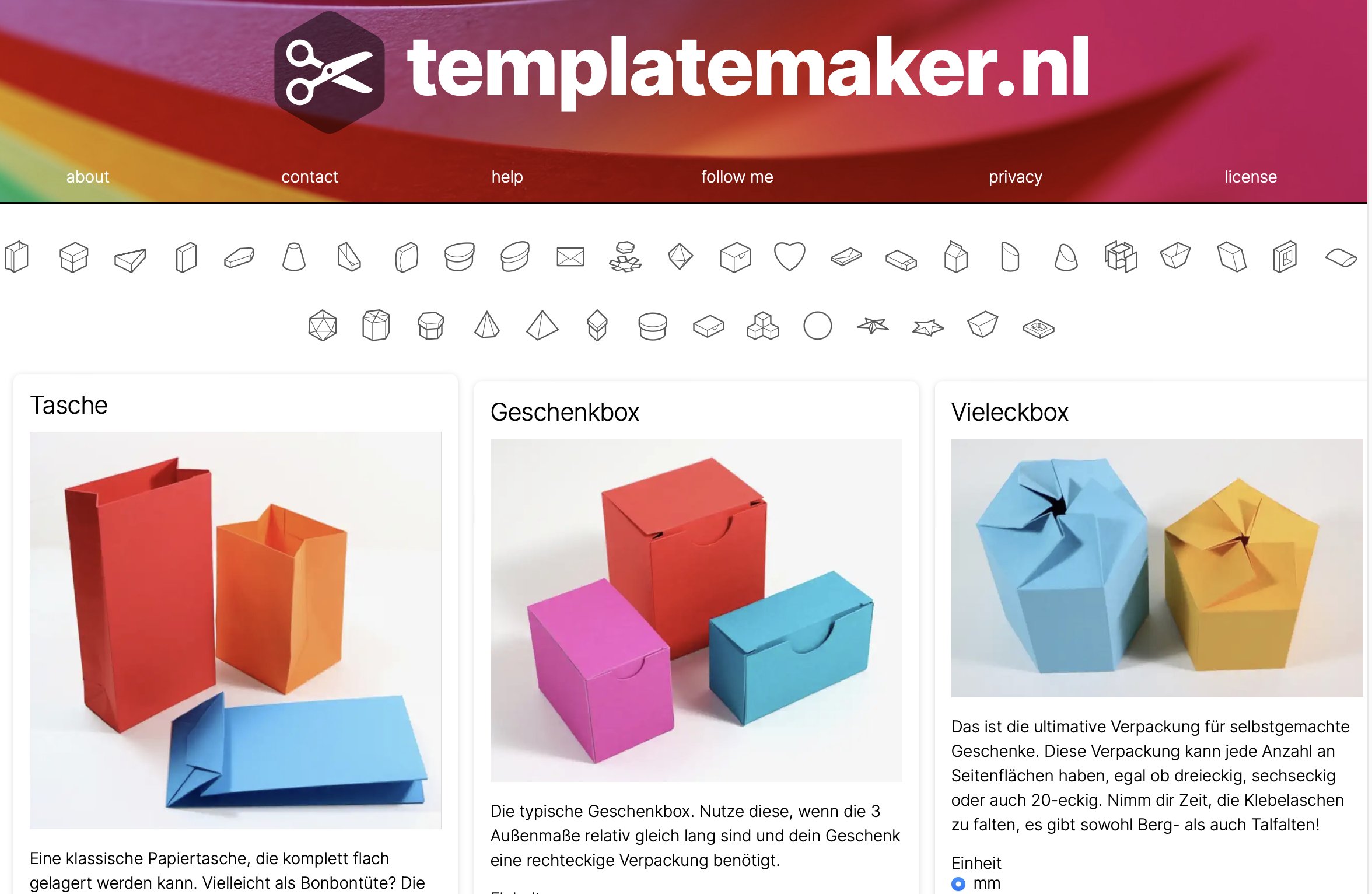
TemplateMaker is a versatile online generator for creating customizable templates for paper boxes and packaging. Unlike most other box generators that focus on wood or acrylic materials, this one is designed for papercraft — perfect for packaging, cards, and decorative boxes.
The website offers a wide range of box styles, from simple cubes and envelopes to pillow boxes, cones, and polygonal gift boxes. You can adjust all relevant parameters such as size, flap style, and glue tabs. A live preview shows how your template will look before downloading.
Most designs are available for free under a Creative Commons license, while some premium templates are available for purchase. Once your template is ready, you can download it in PDF, SVG, or DXF format, ready for printing, cutting, or laser-cutting.
TemplateMaker is created and maintained by Johan Rensink, who continuously expands the collection and refines the usability. It’s a lightweight, browser-based tool that’s especially useful for anyone designing packaging or working with paper-based laser projects.
Pros
- Very user-friendly for paper-box templates – live preview included
- Supports multiple download formats (PDF, SVG, DXF, etc.)
- Large variety of template types and free under CC license for many
Cons
- Focus is on paper/cardboard – less suited for wood/acrylic laser-cut joinery
- Scaling and fitting to specific material sizes could be easier (review noted this)
- Search/discoverability of templates is weak (no menu/search)
Downloads & file types
.dxf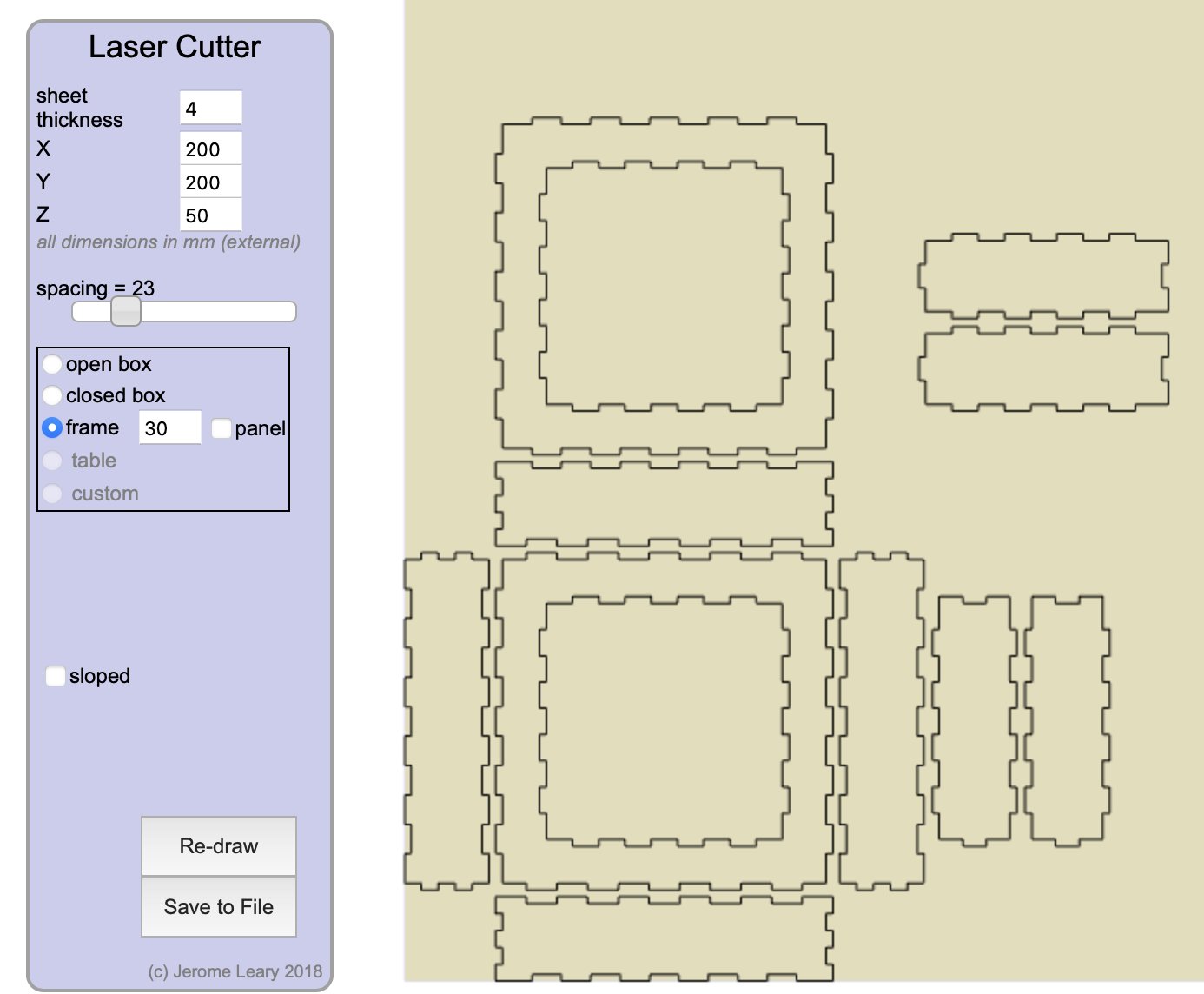
Another neat little tool for creating laser-cut box files. The interface isn’t the prettiest, but it does its job remarkably well. Thanks to the live drawing preview, you can immediately see how your box design will look before downloading the file.
You can choose between several box types, such as open or closed boxes, and even boxes with angled sides. The tool also supports adding internal dividers, making it useful for creating compartment boxes or organizers.
Once you’re happy with the setup, you can download the resulting file in DXF format — ready to send to your laser cutter.
It’s simple, lightweight, and runs directly in the browser — perfect if you just want to generate a quick box design without dealing with complex software.
Pros
- Offers interesting options such as angled sides, dividers, frame and box types beyond plain rectangles
- Browser-based and reasonably straightforward for quicker designs
Cons
- UI is somewhat dated compared to newer tools
- Less documentation and fewer user testimonials compared to major tools
- May lack some advanced customisation for finger joints/kerf control that specialist tools have
4. Frequently asked questions
What is a laser box designer and why should I use one instead of drawing a box in CAD?
A laser box designer (or box generator) is a specialised tool that creates ready-to-cut templates for boxes, drawers, packaging and enclosures. Instead of modelling every panel, finger joint and hinge manually in CAD, you enter dimensions, material thickness and a few options, and the tool outputs a flattened SVG/DXF file. Good generators also handle kerf compensation and joint geometry for you, so parts fit together reliably without weeks of trial and error.
When does it make sense to use a box generator instead of buying a ready-made box?
Box generators shine whenever off-the-shelf enclosures do not fit your use case: custom electronics, storage inserts for tools or board games, classroom projects, small product runs, or gift packaging. You can design boxes that match your components millimetre-precise, add dividers and cable cut-outs, and integrate your own graphics or branding. Especially for prototypes and short runs, it is usually faster and cheaper to generate a custom box than to compromise on a generic plastic case.
Which materials work best with laser box designer tools?
Most box generators are optimised for flat sheet materials that cut cleanly on a laser: plywood, MDF, acrylic and cardboard. Tools like MakerCase focus on wood and acrylic cases, while TemplateMaker is popular for paper and packaging projects. As long as you know the real material thickness and your laser can cut it reliably, you can use a box generator to produce snug-fitting joints and repeatable results in that material.
How important is kerf compensation in box generators?
Kerf (the material removed by the laser beam) directly affects how tightly your box parts fit. Without kerf compensation, joints may end up either too loose or impossible to assemble. Modern box generators such as boxes.py and many MakerCase-style tools let you enter a kerf value or adjust a ‘fit’ parameter. This slightly offsets the geometry so that, after cutting, the real-world parts press-fit together as intended. For repeatable, production-ready boxes, kerf control is one of the key reasons to use a dedicated generator.
Which type of box designer should I choose: simple web tool or advanced generator?
If you just need a quick rectangular box with finger joints, a simple browser-based tool with live 3D preview (like MakerCase-style generators) is usually enough and very fast to learn. If you need more complex shapes—drawers, rounded corners, electronics enclosures, living hinges, or a whole library of box types—then feature-rich tools such as boxes.py or template collections like TemplateMaker offer far more flexibility. In practice, many makers keep both: a lightweight web tool for quick cases and a more advanced generator for specialised projects and batch production.
Written by Max from Best-Lasercutter.com
Max studies Information Systems Engineering and contributes to Best-Lasercutter.com with his background in automation and digital technologies. He focuses on improving the website’s tools and data systems to make laser comparisons more accurate and user-friendly.